Digital Systems
Digital Systems at The Pigs Nose Inn
- Role
- Operational leadership, systems implementation, customer experience and ongoing improvement.
Overview
Moving an independent pub, restaurant, takeaway and live events business from largely manual processes to a more connected digital operation.
I led the selection, setup and ongoing improvement of systems for ordering, payments, kitchen workflows, reservations, staffing and ticketing. Alongside this, we developed the Pig Shack to serve a different audience through a distinct food offering and self-service ordering.
Working with these systems every day also informs the product ideas and feedback I contribute to Square.
The Pigs Nose Inn / System overview
Digital Operations
From customer journey to live service.
01 Journey
- Restaurant
- Bar
- Takeaway
- Online
- Events
02 Touchpoint
- Reservation
- POS
- Kiosk
- Web Order
- Ticket Purchase
03 Platform
OpenTable
- Reservations
- Table planning
- Guest management
Core operational platform
Square
- POS
- KDS
- Kiosk
- Payments
- Online
- Menus
Ticket Tailor
- Ticket sales
- Confirmation
- Event admission
04 Service
- Front of House
- Bar
- KDS → Kitchen
- Collection
- Event Entry
05 Foundation
UniFi Network & Connectivity
- LAN / Wi-Fi
- Primary / failover connectivity
01 / Restaurant
- Book & Dine
- Reservation
- OpenTable
- Front of House
02 / Bar
- Walk-in
- POS
- Square
- Bar / Payment
03 / Takeaway
- Order on-site
- Kiosk
- Square
- KDS
- Kitchen
- Collection
04 / Online
- Order remotely
- Web Order
- Square
- KDS
- Kitchen
- Collection
05 / Events
- Discover & Attend
- Ticket Purchase
- Ticket Tailor
- Event Entry
Infrastructure
UniFi Network & Connectivity
LAN · Wi-Fi · Primary · Failover
Context
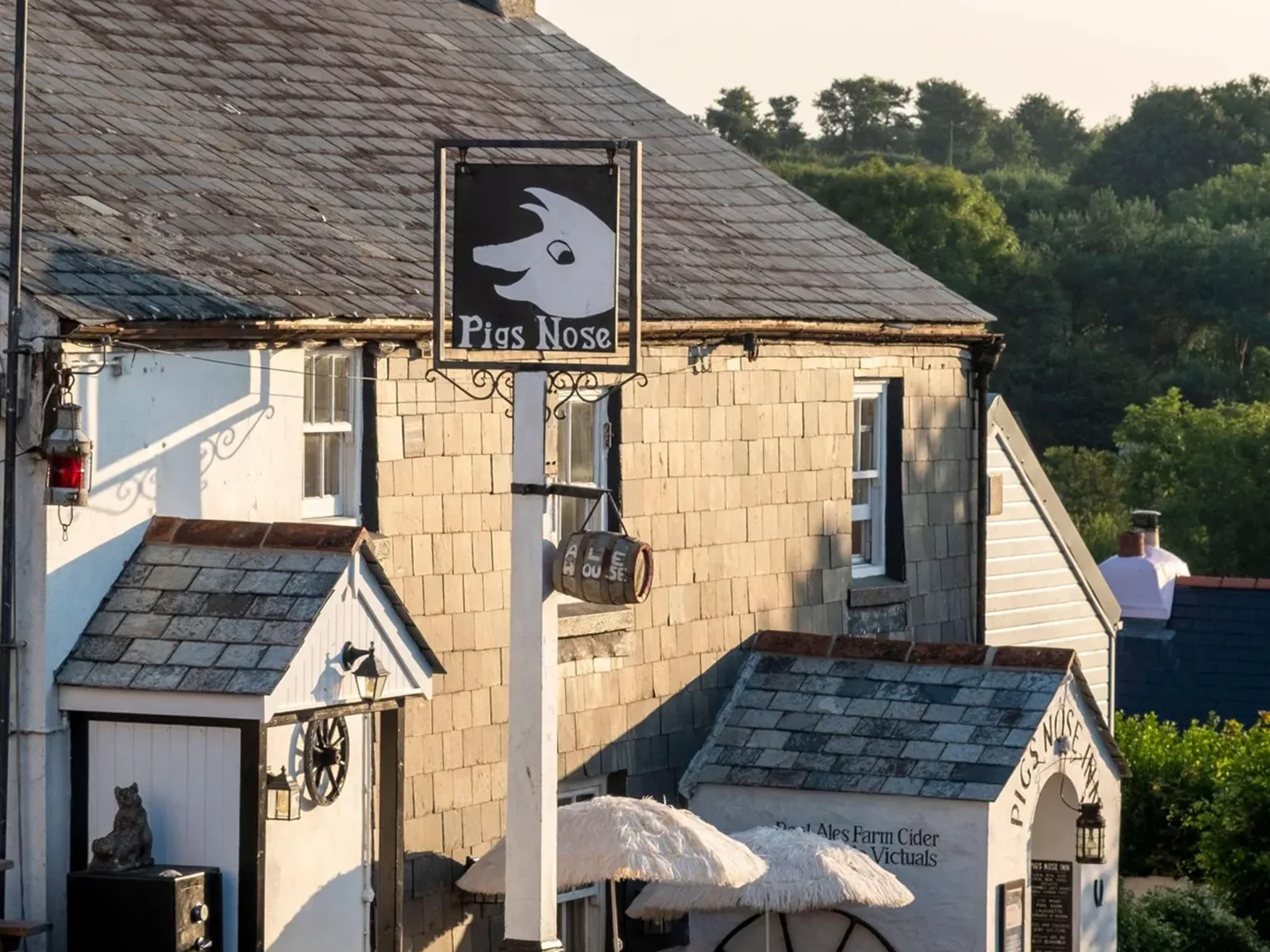
The Pigs Nose Inn is an independent pub, restaurant, live events venue and takeaway operation in South Devon. When I took over day-to-day management, food orders were handwritten and many records were kept on paper.
As the business grew to include table service, bar sales, takeaway, online ordering and ticketed events, those manual processes became harder to manage.
Challenge
Each part of the business needed a different customer journey, while staff needed reliable information across the same site. Orders had to reach the right preparation area, bookings needed to be visible, and customers needed straightforward ways to order or buy tickets.
The challenge was to choose and connect systems that met those needs without adding unnecessary steps during a busy service.
My role
I identified the operational problems, researched and selected systems, configured them around our workflows, and introduced them to the team. This included Square for ordering, payments, kitchen displays and staff management; OpenTable for reservations; and Ticket Tailor for events.
I also introduced table-side QR code ordering and payment, and developed the network supporting these systems across the site.
Because I work in the business every day, I can see where a setup causes friction and adjust it. I continue to assess new platform features, implement useful changes and train staff. That experience also informs the product feedback I contribute to Square.
Improving the Operation
As the business developed, I introduced new systems to solve specific operational problems. Each change started with looking at how we were already working, identifying where time or information was being lost, and finding a practical way to improve it.
Case study 04.1 Kitchen Operations
From handwritten tickets to a digital kitchen
- Order entered at the till
- Routed to the kitchen
- Live queue and wait times
- Service performance data
The problem
Food orders were originally handwritten by bar staff. During service, handwriting could be difficult to read and orders could be written down incorrectly. Once an order had been taken, the member of staff then had to leave the bar, walk into the kitchen and physically place the ticket onto the rail at the pass.
What I changed
I introduced Square's kitchen display system (KDS) and configured the order routing so food orders entered through the till are automatically sent to the appropriate kitchen display.
This removed the need for handwritten tickets and meant bar staff no longer had to leave their station simply to deliver an order to the kitchen.
The difference
Orders are now clearly recorded, timestamped and immediately visible to the kitchen. We can see exactly when an order was taken and which member of staff took it, giving us much better visibility and accountability when something goes wrong.
Menu items are consistent, with the same information and modifiers displayed clearly for both front-of-house and kitchen staff, reducing the opportunity for information to be missed or interpreted differently.
The KDS also makes waiting times much more visible to the kitchen. Tickets change colour as they get older, making it immediately obvious when an order is approaching 30 minutes or has been waiting significantly longer. This encourages the team to keep orders moving and makes delays much harder to overlook.
The reporting gives me measurable information about kitchen performance, including the number of completed tickets and average completion time. Instead of relying on how a service felt, I can use actual service data to identify longer wait times and understand how efficiently orders are moving through the kitchen.
Case study 04.2 Staff Management
From manual staff management to one digital system
The problem
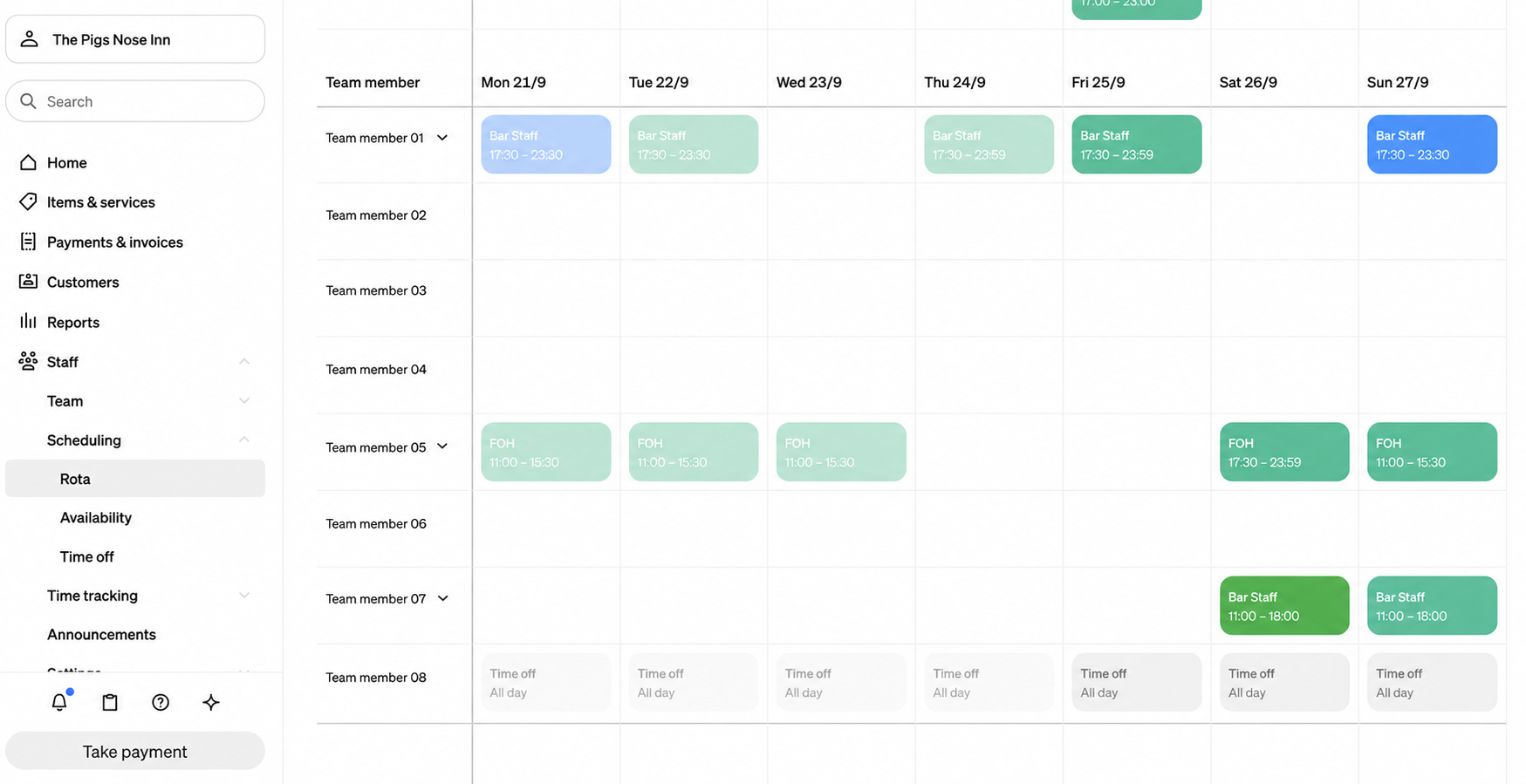
Managing the team involved a number of separate day-to-day tasks. Rotas were created manually, while staff recorded and kept track of their own working hours in individual books.
Communicating changes could also be time-consuming. If a shift changed or there was an important update, staff often had to be called or messaged individually. Mistakes were easily made and staff could get shifts wrong, particularly as there was no simple way for them to check the latest rota from their phones.
It also made it much harder to maintain an accurate record of staffing and the hours people had actually worked.
What I changed
I introduced Square's staff management tools to bring these processes into one system. We now use it to create and publish staff schedules, manage availability, record clock-in and clock-out times, and maintain an accurate record of hours worked.
We also use the internal communication tools for team messaging and announcements, giving staff one place to find updates and important information rather than relying on separate conversations, calls and messages.
The difference
Staff can now access their schedules from their phones, see changes to their shifts and keep their availability up to date themselves. Managers have a much clearer view of the rota, attendance and hours worked.
Clock-in and clock-out records have replaced staff manually recording their hours in individual books, giving us more accurate information for managing working hours and payroll.
Communication is also much simpler. Instead of contacting staff individually, announcements and updates can be sent to the team through the same system they already use for their schedules.
Overall, it has dramatically reduced the amount of time I spend managing staff administration, while giving both staff and management better access to the information they need.
Case study 04.3 Sales & Reporting
From manual sales recording to accurate product data
The problem
Before introducing a digital till system, food and drink sales were handled much more manually. While overall takings were recorded, there was limited data showing exactly which products had been sold and how different areas of the business were performing.
Understanding the split between food and drink sales (known in hospitality as wet sales) relied much more heavily on manual records, stock information and the accounts, rather than being immediately available from the till.
Pricing was also designed around a manual way of working. Prices were often rounded to figures that made orders easier for staff to add together, and staff needed to remember prices and calculate totals themselves. This created more opportunity for mistakes and meant pricing wasn't always being approached from the perspective of achieving a particular gross profit.
What I changed
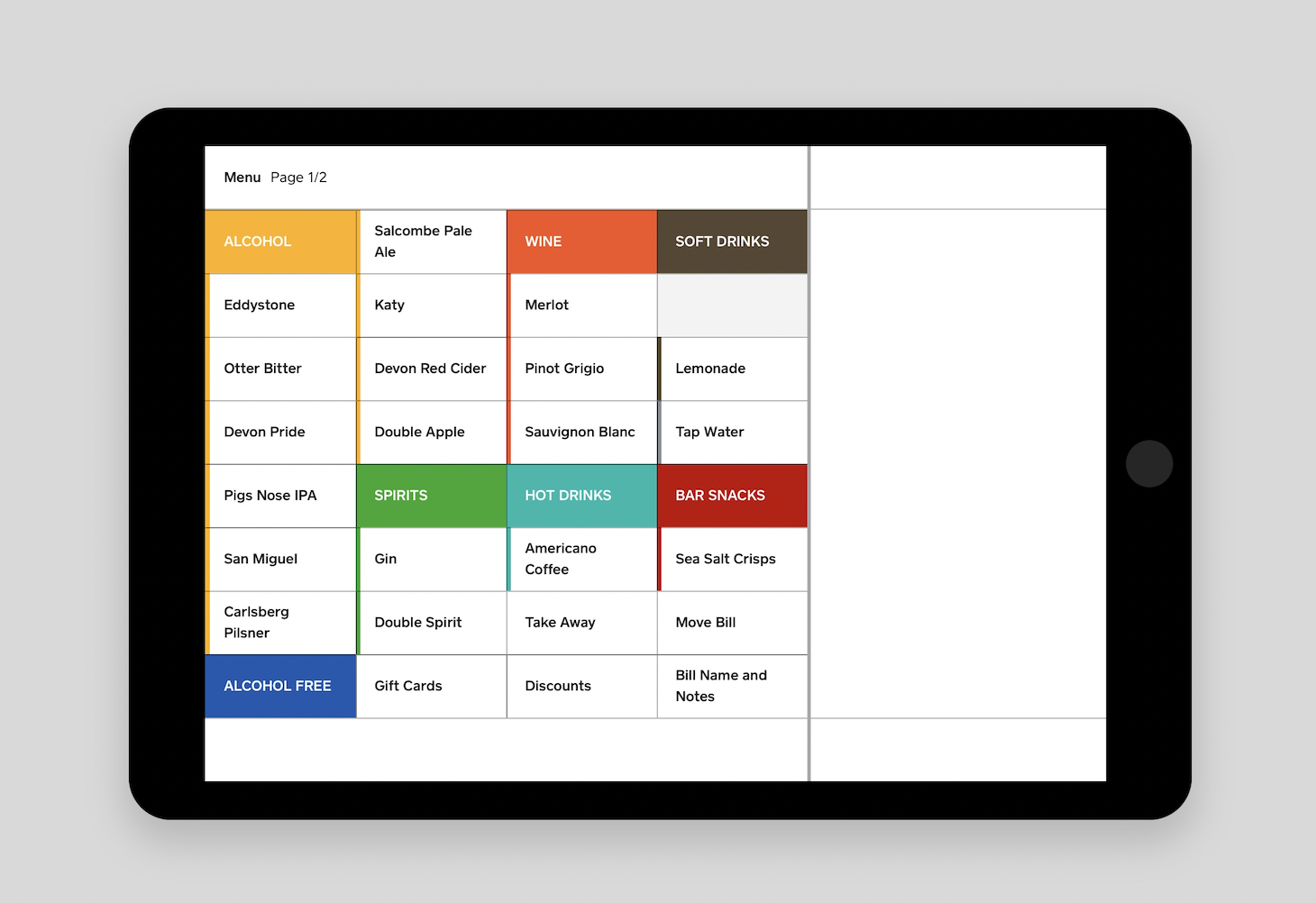
I introduced Square as the central point-of-sale (POS) system and built our food and drink menus within it, with individual products, categories, prices and modifiers — options such as sizes or extras.
Staff no longer need to remember individual prices or calculate orders themselves. Products are selected on the till and the system calculates the total automatically.
It also gave me the ability to approach pricing differently. Products could be priced based on their actual costs and target gross profit rather than being rounded simply to make manual calculations easier.
Every transaction now creates structured sales data, allowing me to see what has actually sold and analyse performance across different parts of the business.
The difference
Staff no longer need to remember dozens of prices or perform mental arithmetic when taking an order, significantly reducing the opportunity for human error.
Prices are consistent regardless of which member of staff serves the customer, and changes can be made centrally rather than relying on everybody remembering a new price.
We now have granular, item-level sales data. I can see how much revenue is coming from food and drink, analyse individual product sales and use that information alongside our costs to make better decisions about pricing and gross profit.
Case study 04.4 Reservations & Guest Management
From walk-ins only to online reservations
The problem
The business didn't originally take table bookings. Customers would often arrive at the pub expecting to eat, only to find that we were already full and couldn't give them a table.
At the same time, the phone would ring constantly with potential customers asking whether we had availability, making enquiries or trying to reserve a table, taking staff away from serving customers already in the pub.
We also had very little visibility of future demand. Without reservations, we couldn't easily see how many guests were likely to arrive on a particular day or identify in advance that a weekend was going to be particularly busy.
There was also no guest database. We had very little information about who was visiting, how often they returned or a straightforward way of building an email audience from our restaurant customers.
What I changed
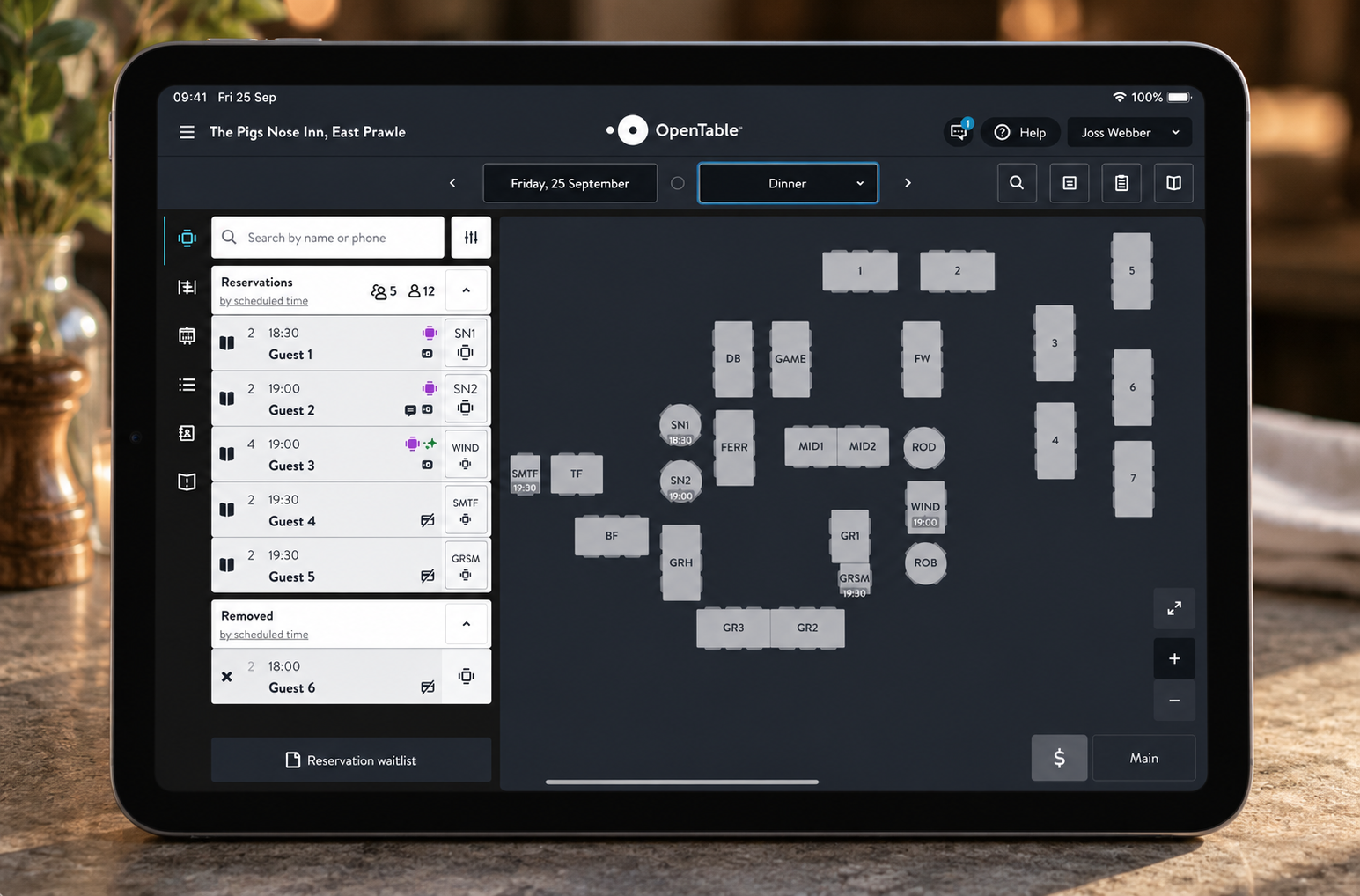
I introduced OpenTable and configured it around the way our restaurant operates, including our tables, capacities, service periods and booking availability.
Customers can now check availability and make their own reservations online, while the team has a central view of upcoming bookings and table availability.
The system also gives us a guest database, allowing us to build a history of visits and record useful information about returning customers. Where customers have opted in to marketing, it also gives us another way to build our email audience and communicate with them in the future.
The difference
Customers can see availability and secure a table before travelling to the pub, rather than arriving without knowing whether we'll be able to accommodate them. It has also reduced the number of phone calls staff need to handle simply to answer availability and booking enquiries.
For the business, we now have much better visibility of future demand. I can look ahead at the number of expected diners and identify particularly strong or quiet services before they happen.
That information helps with operational decisions as well. If we can see that a weekend is going to be particularly busy, we can plan staffing levels accordingly rather than only discovering how busy we are once customers arrive.
Over time, the guest history also gives us a much better understanding of our customers and provides opportunities to build stronger relationships with returning guests.
Case study 04.5 Events & Ticketing
From door sales to advance event bookings
Image to be addedTicket scanning at event entry
The problem
Tickets were originally sold only on the door. Before an event, we had very little visibility of how many people would turn up, making it difficult to predict demand or plan how many staff we would need.
It also made managing numbers more difficult. If an event reached capacity, customers arriving at the door had to be turned away, having travelled to the pub without knowing whether they would be able to get in.
What I changed
I introduced Ticket Tailor so customers could buy tickets online before the event. Advance ticket sales give us a clearer view of bookings, while ticket availability helps us manage numbers against the event's capacity.
The system also supports booking confirmations and ticket checking at entry, connecting the advance booking with admission on the night.
The difference
Customers can secure their place before travelling, reducing the uncertainty of arriving and finding that an event has sold out.
For the business, advance sales make demand visible before the doors open. We can see how bookings are progressing and use that information to help decide how many staff to bring in.
It gives us a better basis for planning each event, rather than relying entirely on how many people turn up on the night. Advance bookings do not tell us everything about eventual attendance, but they give us information we did not have when all tickets were sold at the door.
Case study 04.6 Business Expansion & Self-service
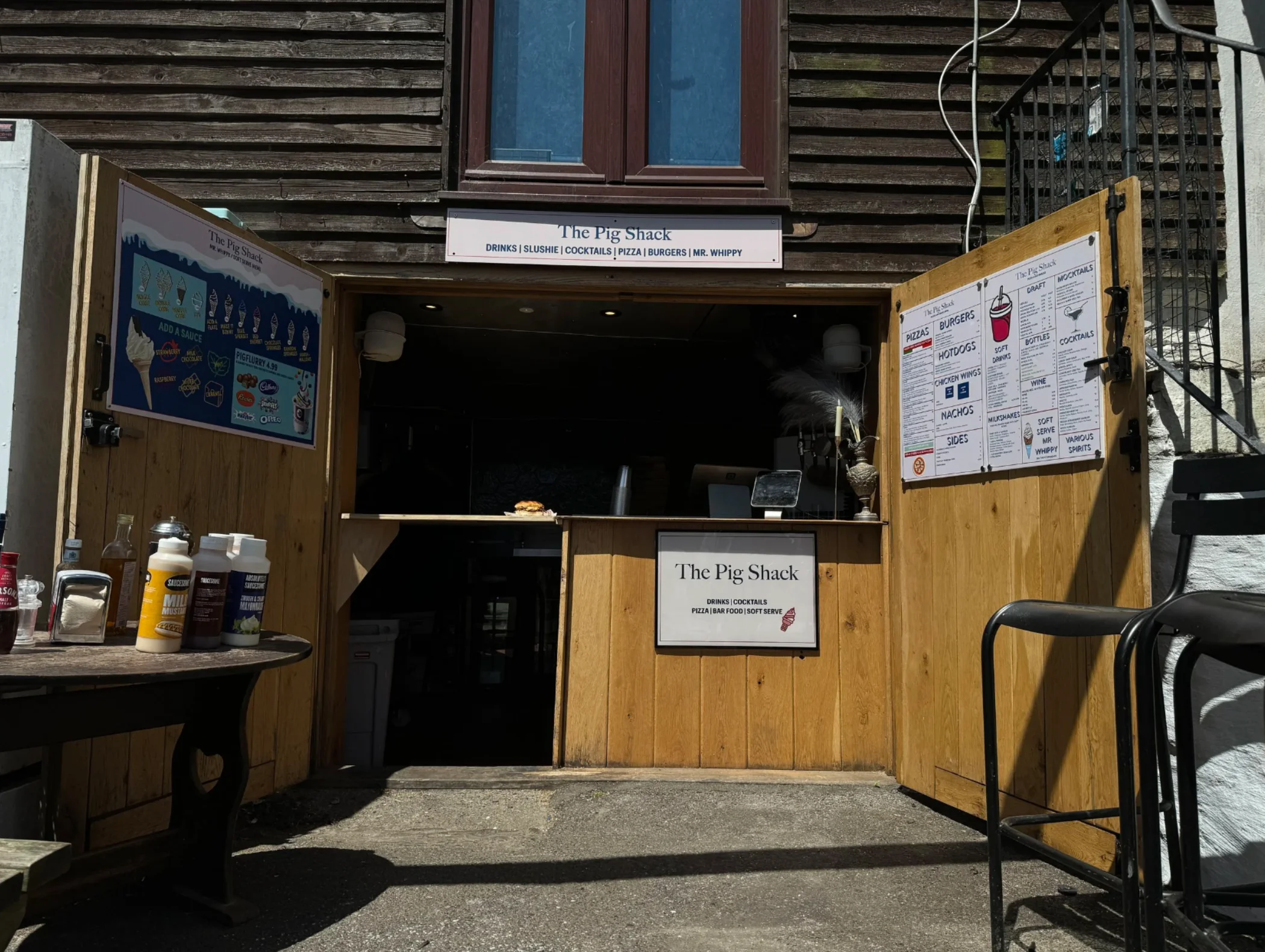
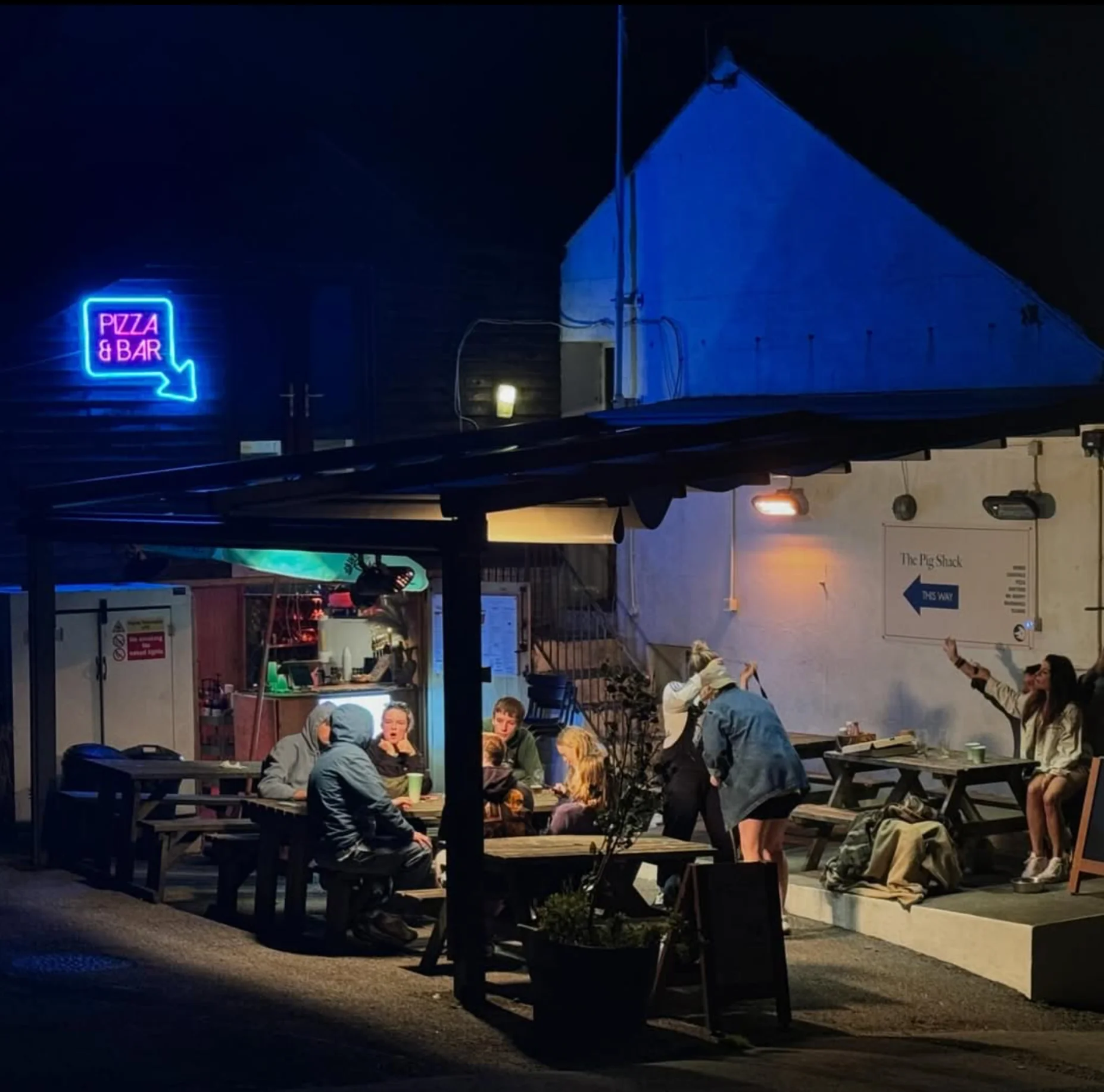
Creating the Pig Shack for a different audience
The problem
We developed the pub's food offering around better-quality food, with the aim of cooking fresh dishes in-house rather than relying on frozen or pre-prepared catering products. That direction also increased the cost of the menu.
We found that the higher prices were putting the pub's food out of reach for some customers, including campers, families with children and people on tighter budgets. We needed another way to serve those customers while continuing to develop the pub's food offering.
What I changed
We created the Pig Shack as a distinct part of the business, with a modern design and an experience deliberately different from the pub. Its focus is burgers, pizza and quick-service meals, giving customers another choice to suit their budget and the occasion.
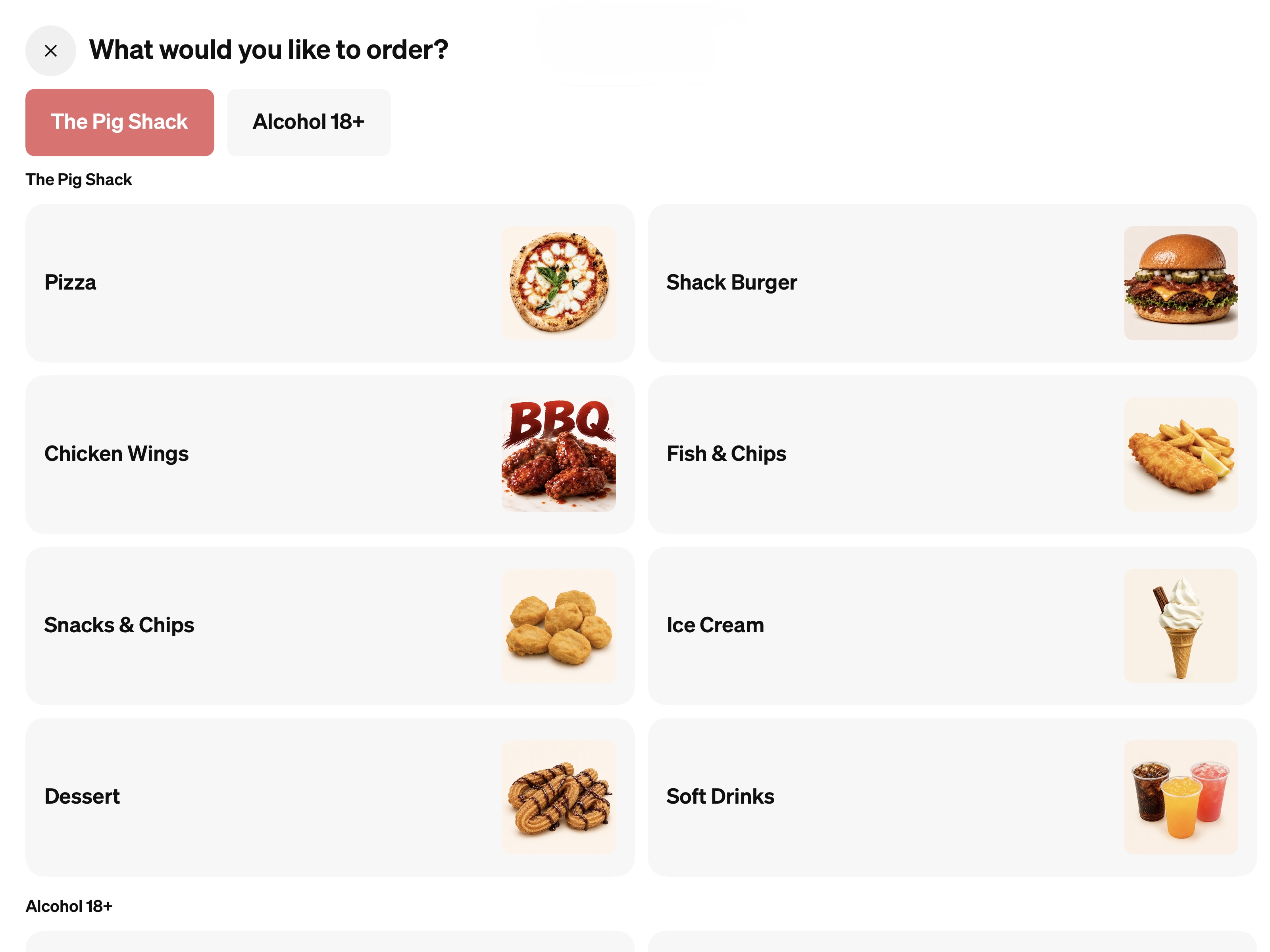
We chose self-service ordering to help customers place orders quickly and support a different service model. The kiosk presents the food visually, so customers can see what is available as they browse.
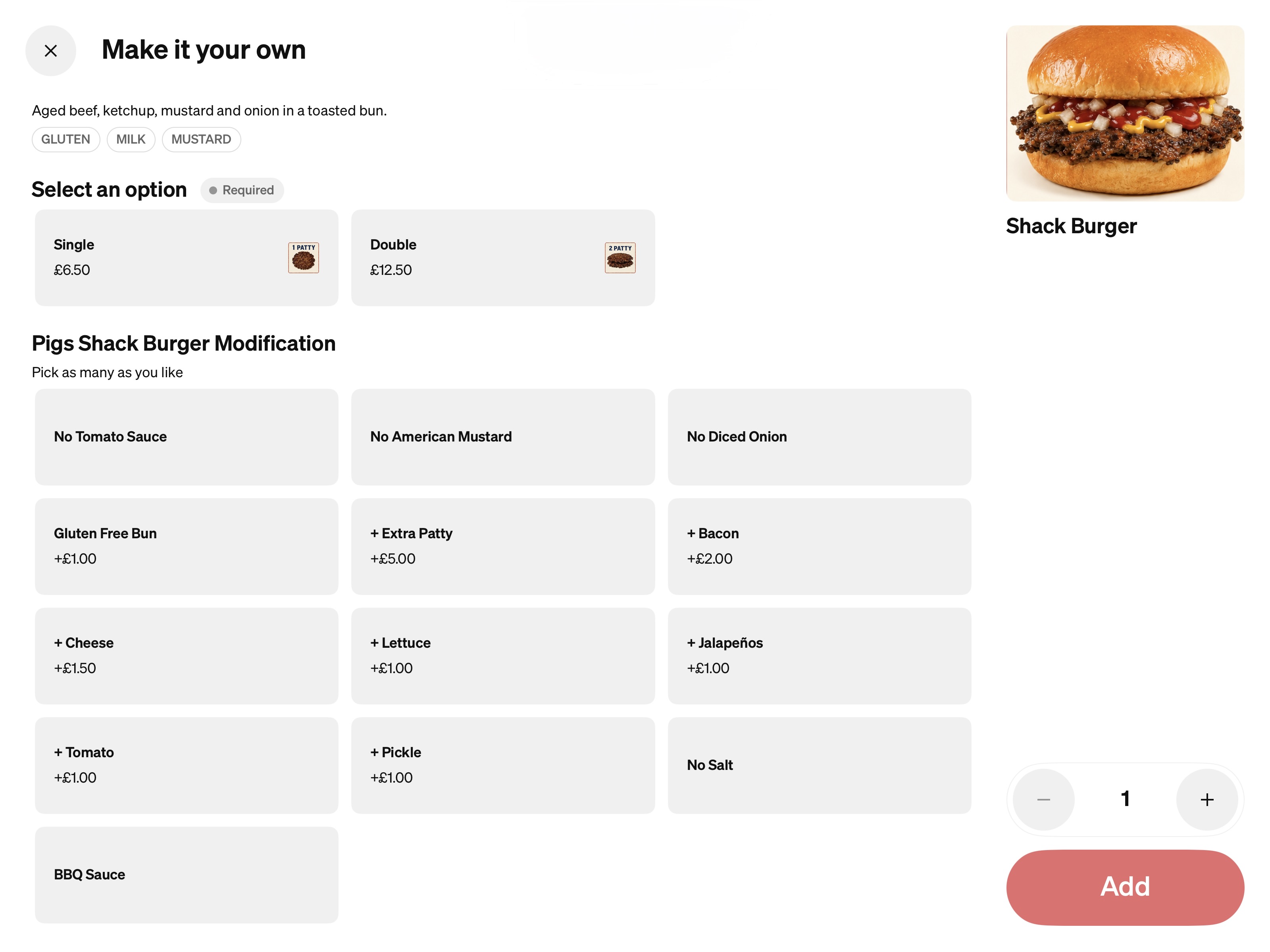
It also creates opportunities to offer relevant extras and upgrades during ordering. The intention was to make ordering easier while supporting growth through additional sales.
The difference
The business now has two different food experiences serving different needs. The Pig Shack gives customers who were finding the pub's menu too expensive another way to eat with us, while also appealing to campers and families looking for a quick-service option.
Self-service ordering is part of that wider experience. Customers can explore the menu through pictures and make their selections themselves, with opportunities to add extras along the way.
For me, this was about matching the food, pricing, design and ordering process to the audience. The kiosk supports the business model we wanted to create.
Product Thinking
I am recognised as a Square Community Innovation Champion. I regularly submit feature requests and product feedback to Square, drawing on the practical demands of running its systems in a live business.
These five ideas explore how the products we use every day could better support customers, staff and the wider business.
Idea 01 Kiosk Experience
Show customers the wait before they order
The problem
During high-volume periods, customers ordering through a self-service kiosk can place and pay for an order without knowing how long food is currently taking. If there is a long wait, they may only discover this after they've paid.
My idea
Give businesses the ability to display an estimated current wait time directly on the kiosk. This could either be controlled manually by staff or potentially use information already available through the kitchen system.
Why it matters
Customers know what to expect before ordering, while staff spend less time dealing with questions or frustration caused by unexpected waits.
Idea 02 POS Experience
Make common modifiers quicker to use
The problem
Some order options, known as modifiers, are used constantly during service. For example, when selling draught drinks, staff may repeatedly need to select whether the customer wants a pint or half pint. Having to navigate through additional screens adds unnecessary interactions to a very common task.
My idea
Allow frequently used modifiers to be pinned directly to the POS layout, giving staff immediate access to them without changing how the underlying product is configured.
Why it matters
Saving one or two taps doesn't sound significant, but when the same action is repeated hundreds of times during service, small improvements can make the till considerably quicker to use.
Idea 03 Team Operations
Bring operational checklists into Square
The problem
Hospitality teams have recurring responsibilities such as opening, closing, cleaning and maintenance checks, but these can sit outside the systems staff already use every day.
My idea
Introduce team checklists within Square, allowing managers to create recurring tasks, assign responsibilities and see when tasks have been completed.
Why it matters
It would bring another part of running the business into the same system staff already use for their shifts and working hours, while giving managers greater visibility over whether important tasks have been completed.
Idea 04 Workforce Management
One calendar for the business
The problem
There is much more happening within a hospitality business than staff shifts. Events, large bookings, maintenance, deliveries and other operational dates can end up spread across different calendars, messages and systems.
My idea
Introduce a shared business calendar within Square where managers could record important operational events alongside the existing team-management tools.
Why it matters
Staff and managers would have a clearer picture of what is happening across the business without needing to check several different places.
Idea 05 Marketing
Give businesses control of the subscriber experience
The problem
A customer joining a mailing list is interacting directly with the business, but the options for customising Square's subscriber sign-up experience are limited.
My idea
Give businesses greater control over the subscriber page, including its wording, imagery, fields, required information and the message customers see after signing up.
Why it matters
The sign-up experience could better reflect the individual business while also allowing it to collect the customer information that is actually useful to its marketing.
Outcome
The business now has a connected digital operation across the pub, restaurant, takeaway and events. Staff have clearer orders and shared records, while customers have more ways to book, order and pay. The Pig Shack extends that offering to a different audience.
Sales, staffing and kitchen performance data give me a firmer basis for day-to-day decisions. The work continues as the business grows and I learn from how customers and staff use the systems.
What I Learned
I didn't originally set out to work in product or technology. I introduced these systems because I was trying to solve problems within my own business.
Over time, I found that I particularly enjoyed understanding why a process wasn't working, researching the options available and then working out how technology could make it better. Often the biggest improvements haven't come from introducing something completely new, but from noticing small points of friction and finding a simpler way of doing them.
Running the business has also taught me that implementing technology is as much about people as it is about the software itself. A system can have a huge number of features, but if it makes someone's job harder or staff don't understand how to use it, it isn't a successful solution. I've had to consider how systems will work during a real service, introduce changes to the team, train people and then adapt the setup based on how they actually use it.
Using products like Square from both sides — as the person making decisions about the business and as someone actually using the product during service — is what has led to my interest in product and technology more broadly.